> For the complete documentation index, see [llms.txt](https://docs.coreway.com/llms.txt). Markdown versions of documentation pages are available by appending `.md` to page URLs; this page is available as [Markdown](https://docs.coreway.com/coreway-hr/zh-hk/salary-management/generate-an-automatic-payment-file-for-the-bank.md).
# 生成銀行自動付款檔案
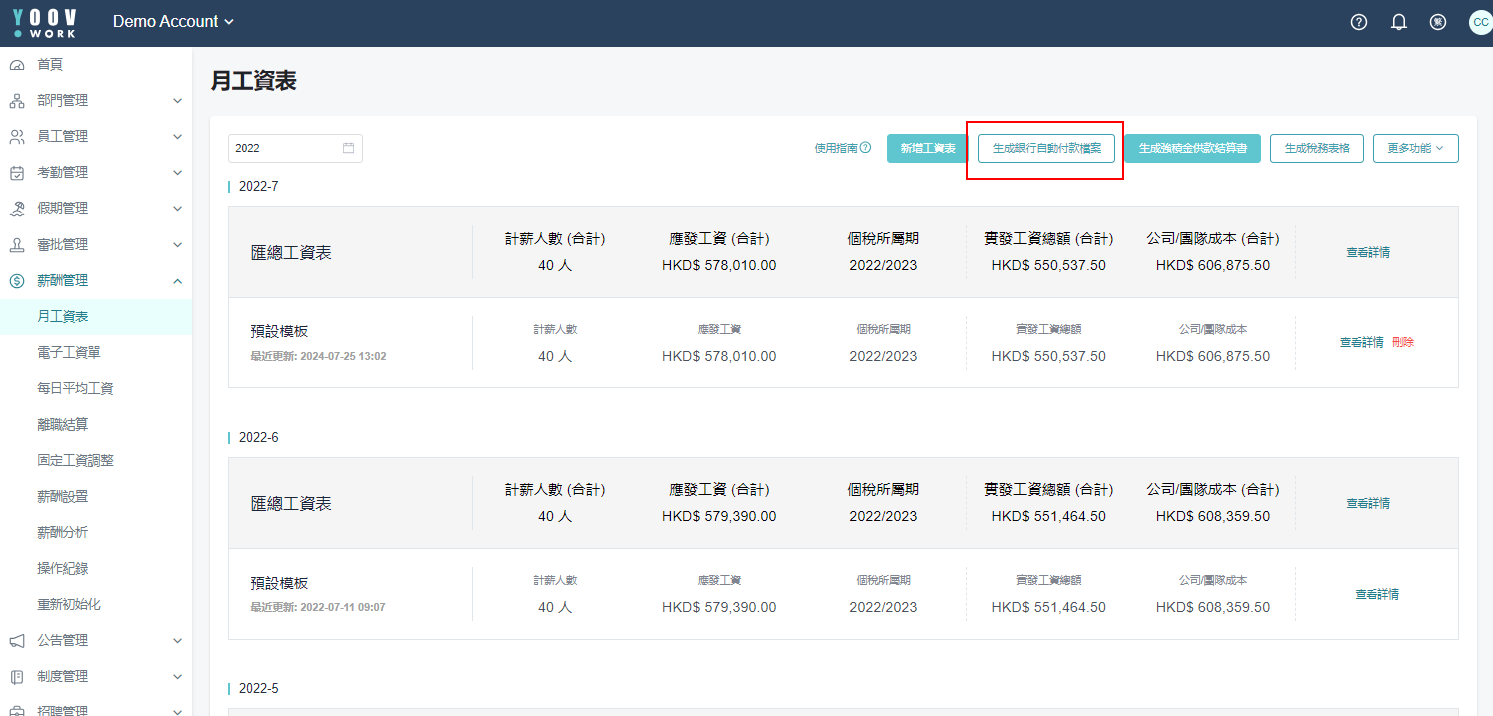
* 生成工資表並完成核對後,便可按 「生成銀行自動付款檔案」 生成電子檔案提交至相關機構。
* 當按下後系統將會轉到新頁面 YOOV WORK-e-form,請在此點選公司以進行設定。
### 1. 銀行設定
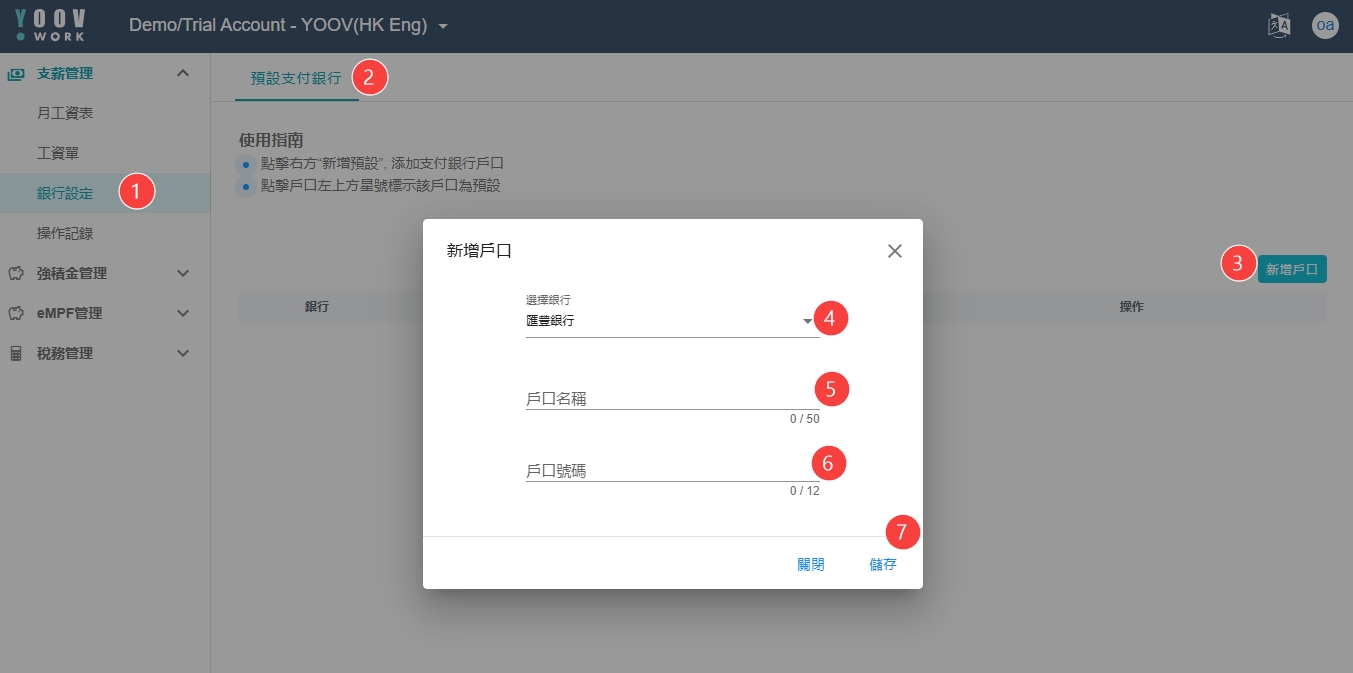
* 請先在銀行設定中揀選銀行並輸入戶口名稱和號碼。
* 操作步驟: \
[銀行設定]>[預設支付銀行]>[新增戶口]> 然後填寫帳戶詳細資料並「儲存」。
### 2. 支薪管理
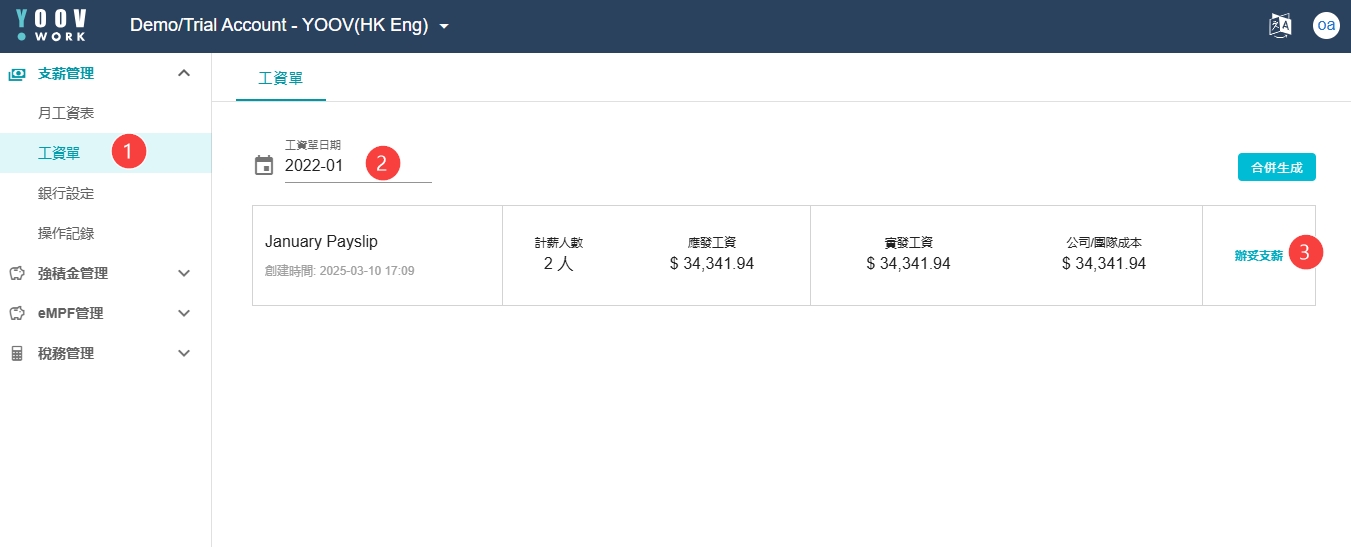
① 管理員請在 \[支薪管理] > \[月工資表] 或 \[工資單] 中揀選支薪的月份,然後按下[辦妥支薪]。\
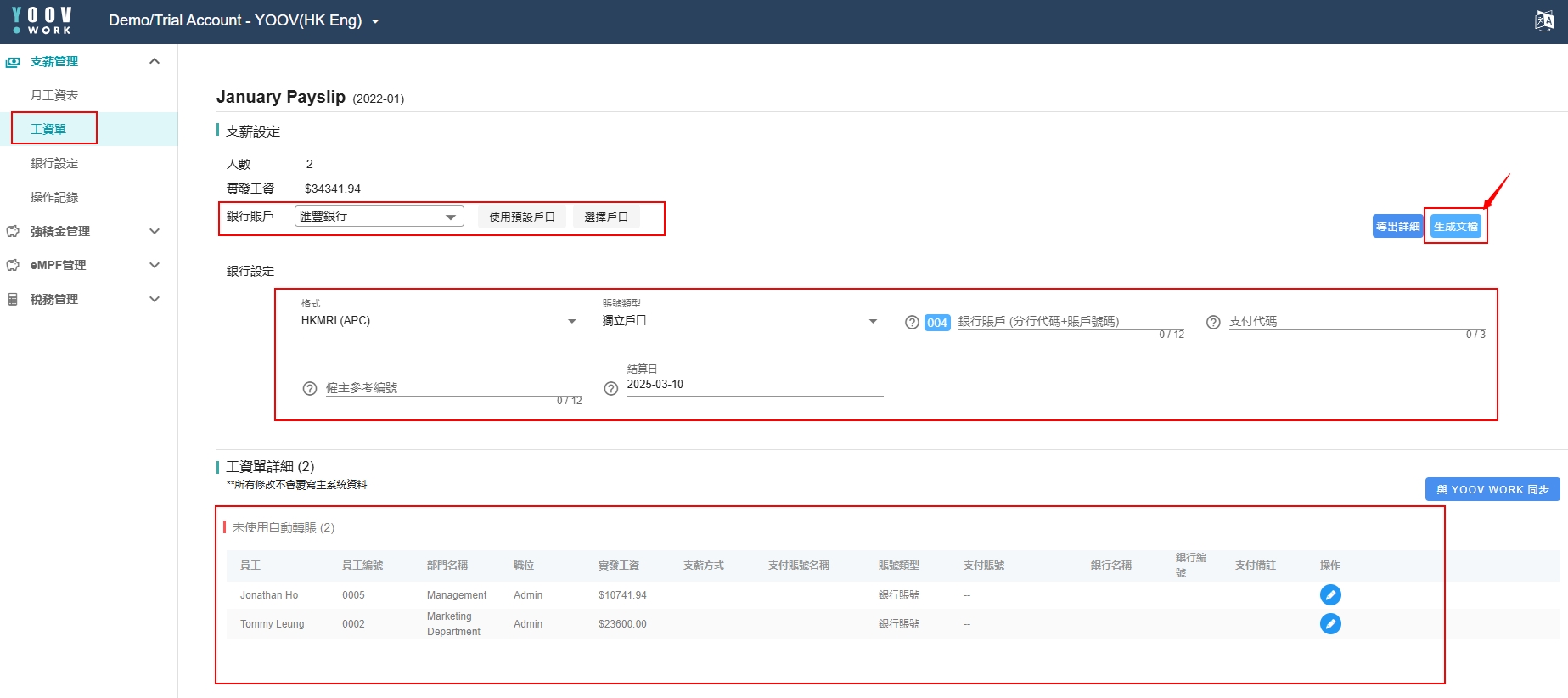
② 系統將會轉移到預設薪資表頁面,管理員可在此再檢查所有工資訊息是否正確。\
③ 檢查完成後,管理員請揀選銀行和公司戶口,並填上僱主參考編號。\
註: \[僱主參考編號] 需要向銀行查詢- 銀行參考編號\
④ 管理員便能夠按[生成文檔]去生成自動轉賬所需的資料。\
⑤ 生成後管理員便能下載文檔,及後可將文檔上傳給相應的銀行即可完成。
---
# Agent Instructions
This documentation is published with GitBook. GitBook is the documentation platform designed so that both humans and AI agents can read, navigate, and reason over technical content effectively. Learn more at gitbook.com.
## Querying This Documentation
If you need additional information that is not directly available in this page, you can query the documentation by asking a question.
Perform an HTTP GET request on the following URL with the `ask` and `goal` query parameters:
```
GET https://docs.coreway.com/coreway-hr/zh-hk/salary-management/generate-an-automatic-payment-file-for-the-bank.md?ask=&goal=
```
`ask` is the immediate question: it should be specific, self-contained, and written in natural language.
`goal` is what the user is ultimately trying to achieve, the reason they need the answer. Sharing it helps GitBook give you a better, more relevant answer. A goal is most helpful when it describes the outcome the user wants rather than restating the question. For example, with `ask=how do I create an API token`, a goal like `automate deployments from our CI pipeline` lets GitBook tailor the answer to that use case.
The response will contain a direct answer to the question and relevant excerpts and sources from the documentation.
Use this mechanism when the answer is not explicitly present in the current page, you need clarification or additional context, or you want to retrieve related documentation sections.